Audit log
The append-only, hash-chained audit log covering every request and login attempt, its retention policy, and chain verification.
RedScribe keeps a hash-chained record of everything that happens on your instance, request by request, and login attempt by login attempt. This page covers what’s in it, how to browse it, how long it’s kept, and how to check its chain hasn’t been altered. See Audit trail & integrity for exactly what that chain does and doesn’t catch.
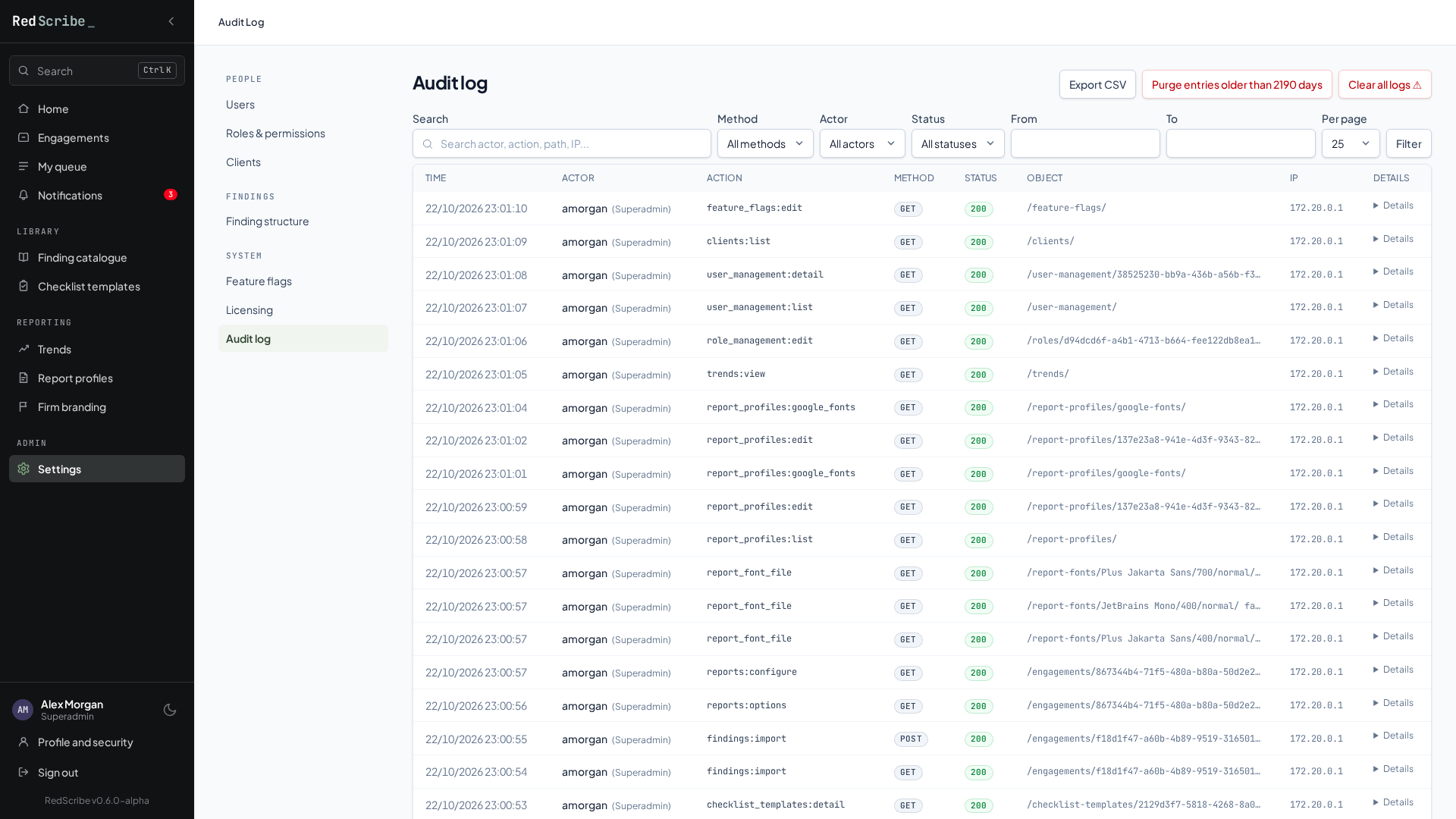
Settings → Audit log needs its own permission to manage. It records every request, including plain page views and not just the ones that change something, plus every login attempt. Each entry captures who did it (user, username, and their role at the time), what they did, the HTTP method and path, the response status, any related engagement or object, their IP address, query string, referring page, browser, and how long the request took.
Almost everything is logged. The only exceptions are a short, fixed list
of things that would just add noise: the health check endpoint, the CSP
report endpoint, and the background check each open tab makes every minute
to notice an expired session, plus bare HEAD/OPTIONS requests. Two sensitive URLs,
the password reset and account setup confirmation links, have their path
redacted in the log, since the URL itself contains a single-use token
that shouldn’t sit around readable.
Browsing and filtering
Section titled “Browsing and filtering”The Audit Log page is filterable by free-text search (matches actor username, action, path, object reference, IP, browser, or referring page), HTTP method, actor, status-code bucket (2xx/3xx/4xx/5xx), and a from/to date range, with a configurable page size.
Exporting to CSV
Section titled “Exporting to CSV”Export CSV downloads the entries that match your current filters as a CSV file, with the time (UTC), user, role, action, method, path, query, status, engagement, object, IP address, browser, referring page, duration, and each entry’s chain hash. It covers every matching entry, not just the page you’re looking at, and is streamed, so a large export doesn’t need to fit in memory.
Values that a spreadsheet would treat as a formula (anything starting with
=, +, -, or @) are prefixed with ', so opening the file in Excel
or Google Sheets can’t run anything an attacker typed into a URL or
browser string. The export itself is a request like any other, so it’s
recorded in the log too.
Retention
Section titled “Retention”Entries are kept for a configurable window, six years by default. That default matches HIPAA’s general documentation-retention rule, and is the most conservative of the commonly-referenced regimes for this kind of tool. Override it to match your own compliance obligations if six years isn’t the right number for you.
Purging is never automatic, since nothing in RedScribe runs on a schedule of its own. Wire it into your host’s own cron for a self-maintaining instance:
0 3 * * * cd /path/to/redscribe && docker compose exec -T web python manage.py purge_audit_logAdd --dry-run to preview the delete count first, or --days N to purge
against a one-off window instead of the configured default. Whoever
manages the audit log can also trigger the same purge on demand from the
Purge entries older than N days button on the Audit Log page. It’s the
same underlying logic either way, and the purge action itself is recorded
in the audit trail like any other state-changing request.
Clearing everything
Section titled “Clearing everything”Separate from the age-based purge above, the Audit Log page also offers
Clear all logs, an unconditional wipe of every audit log and
login-attempt row, regardless of age. Because this is destructive,
irreversible, and the one action that erases audit history outright, it
asks you to type the exact phrase DELETE ALL LOGS into a confirmation
field; nothing is deleted if it doesn’t match. The wipe itself is logged
as the emptied log’s first new entry, so it still opens with a record of
who cleared it and when.
Chain integrity
Section titled “Chain integrity”Every entry is cryptographically chained to the one before it, so changing a stored row anywhere in the chain, including through direct database access rather than the app, invalidates every hash that comes after it. A brand-new instance’s very first entry chains from a fixed starting value. See Audit trail & integrity for what this does and doesn’t catch, deleting rows is a different case from editing one in place.
Check the whole chain at any time with:
docker compose exec web python manage.py verify_audit_logThe oldest surviving row can’t be checked against a prior link. Either it’s genuinely the first entry ever, or everything before it was legitimately removed by a retention purge. The command reports that row as an anchor, not a failure, and flags the first row after it (if any) whose recomputed value doesn’t match what’s stored.