Sample report
A full sample penetration-test report, and the Report Profile, Finding Structure, and text-block configuration that produced it.
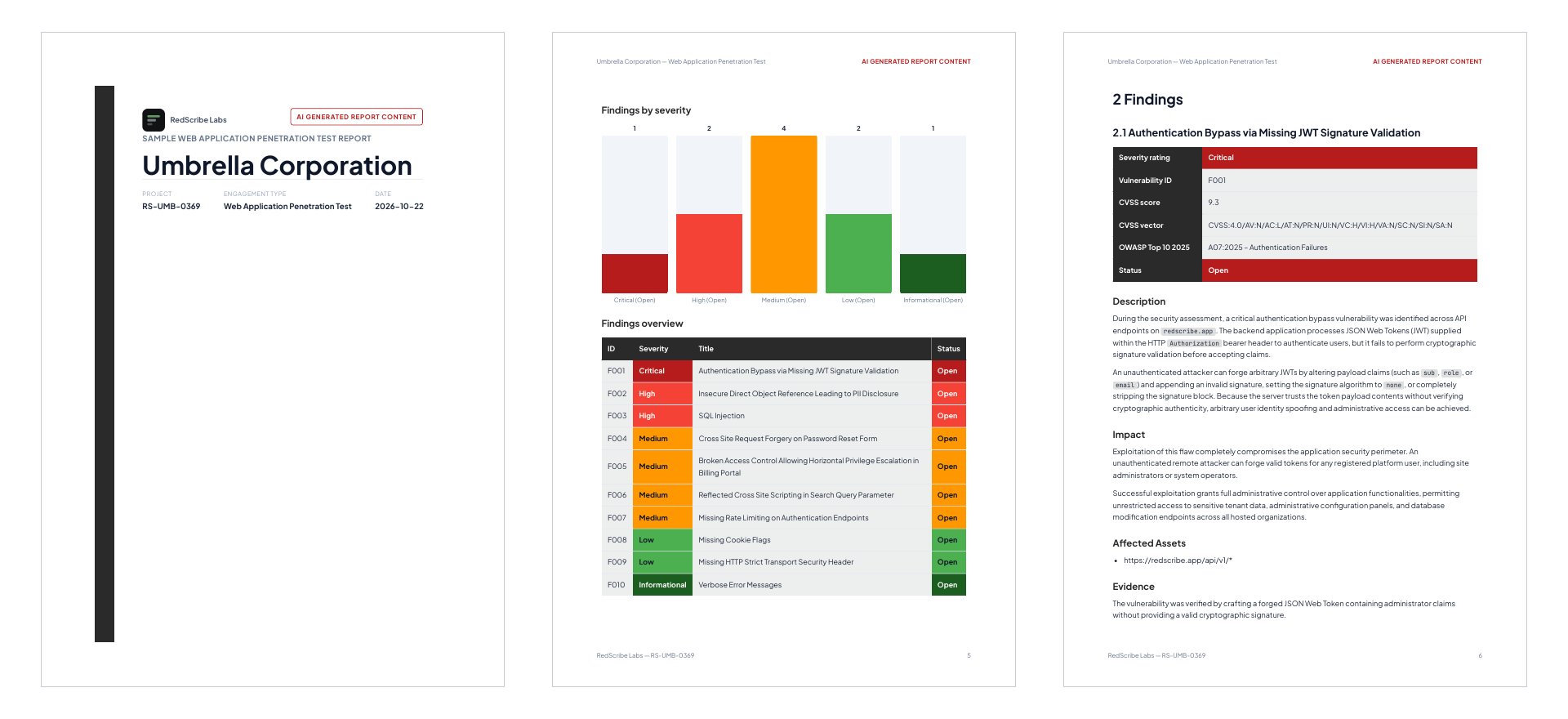
Download the sample PDF report, a full, 38-page web application penetration test report for a fictional client, “Umbrella Corporation,” produced entirely from RedScribe’s own report pipeline.
What’s in it
Section titled “What’s in it”- A cover page, document control table, and engagement timeline.
- An executive summary, with an assessment overview, overall security posture, and a severity breakdown (bar chart + table).
- 10 findings, Critical through Informational, each with a metadata table, description, impact, affected assets, evidence (including HTTP request/response code blocks), remediations, and references.
- 11 observations, one per WSTG-style testing phase (information gathering, configuration, identity management, authentication, authorization, session management, input validation, error handling, cryptography, business logic, client-side testing).
- Scope & constraints, the assessment team’s bios and qualifications, the testing methodology (7 phases), a CVSS v4.0 severity scoring guide, and a confidentiality & disclaimer section.
Building a report like this
Section titled “Building a report like this”Everything below is real configuration on a real Report Profile, not a special mode. Reproducing it is a matter of setting up the same pieces.
Document template
Section titled “Document template”The Report Profile’s Document template is a straight top-to-bottom structural and custom-tag outline:
{{ cover_page }}# Document Control          {{ document_control }}# Engagement timeline       {{ engagement_lifecycle }}{{ table_of_contents }}
# Executive Summary          {{ executive_summary }}## Assessment Overview       {{ assessment_overview }}## Overall Security Posture  {{ overall_security_posture }}## Breakdown of Findings     {{ breakdown_of_findings }}
# Findings                   {{ finding_details }}# Observations                {{ observations }}
# Scope and Constraints## Scope of Testing          {{ scope }}## Testing Conditions        {{ testing_conditions }}## Assessment Team           {{ assessment_team }}
# Assessment Methodology     {{ testing_methodology }}## Testing Phases            {{ testing_phases }}## Severity Scoring Guide    {{ scoring_guide }}
# Confidentiality & Disclaimer {{ confidentiality_disclaimer }}engagement_lifecycle, executive_summary, assessment_overview,
overall_security_posture, testing_conditions, testing_methodology,
scoring_guide, and confidentiality_disclaimer are this profile’s own
text blocks (see below), not built-in
tags. A different profile is free to use entirely different slugs.
Appearance
Section titled “Appearance”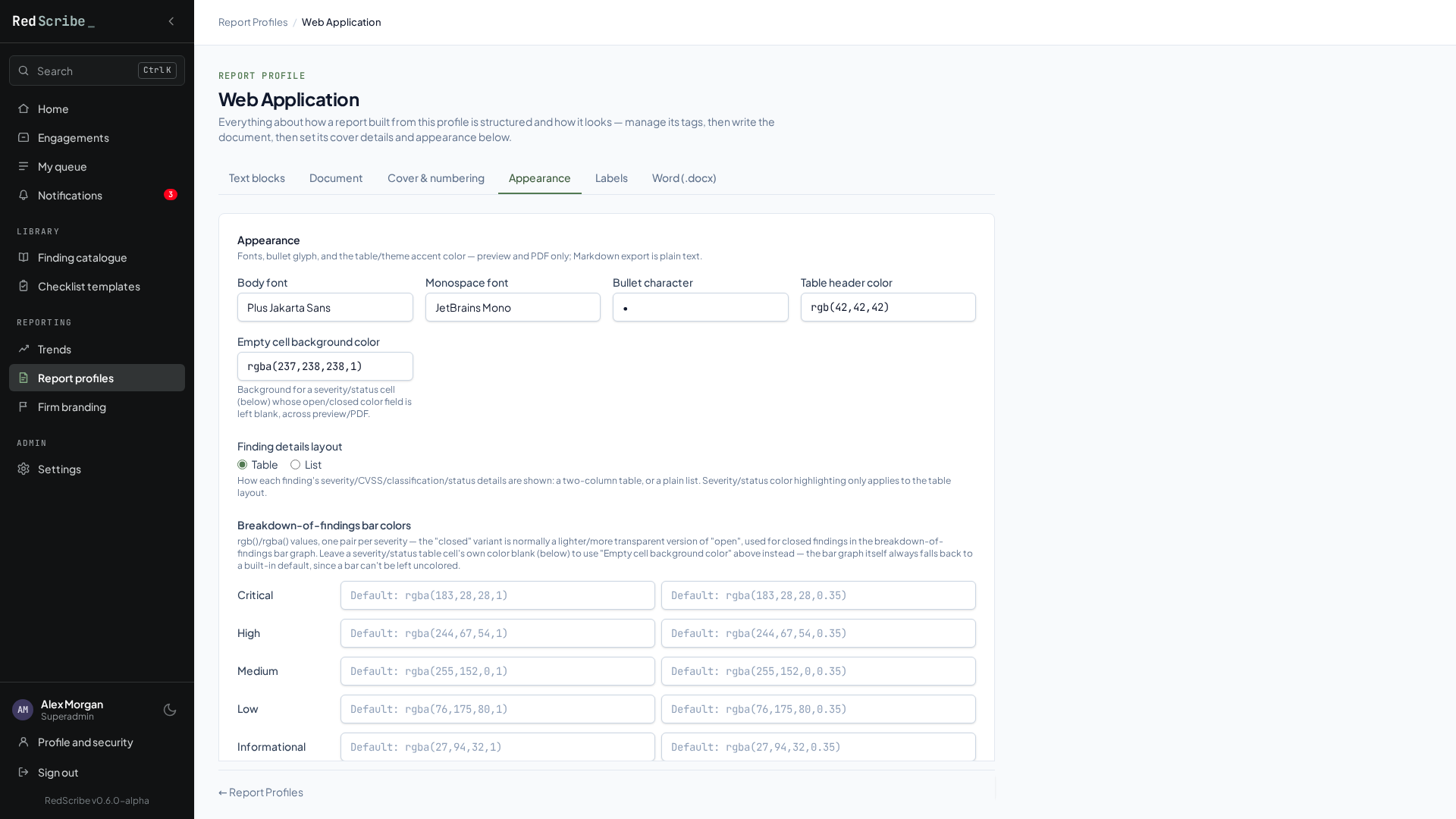
Set on the profile’s Appearance tab:
| Field | Value |
|---|---|
| Cover title | Penetration Test Report (overridden per-report, see below) |
| Classification label | Strictly Confidential (also overridden per-report) |
| Finding ID prefix | F |
| Body font | Plus Jakarta Sans |
| Monospace font | JetBrains Mono |
| Bullet character | • |
| Table header color | rgb(42,42,42) |
| Finding table layout | Table |
Severity colors were left at their built-in defaults (blank on the profile), so the red/orange/green scale you see is RedScribe’s own default severity palette, not a custom one.
Finding structure
Section titled “Finding structure”The findings use six active content sections. A fresh instance starts with none configured (aside from the built-in Affected Assets section below), so this is this deployment’s own admin-configured set, not a shipped default:
| Order | Slug | Label |
|---|---|---|
| 10 | vulnerability-description |
Description |
| 20 | business-technical-impact |
Impact |
| 30 | affects |
Affected Assets (built-in, see below) |
| 40 | proof-of-concept |
Evidence |
| 50 | remediations |
Remediations |
| 60 | references |
References |
affects is the built-in, protected Affected Assets
section.
It isn’t rich text you author, it’s positioned here but backed directly by
each finding’s own Affects field.
Text blocks
Section titled “Text blocks”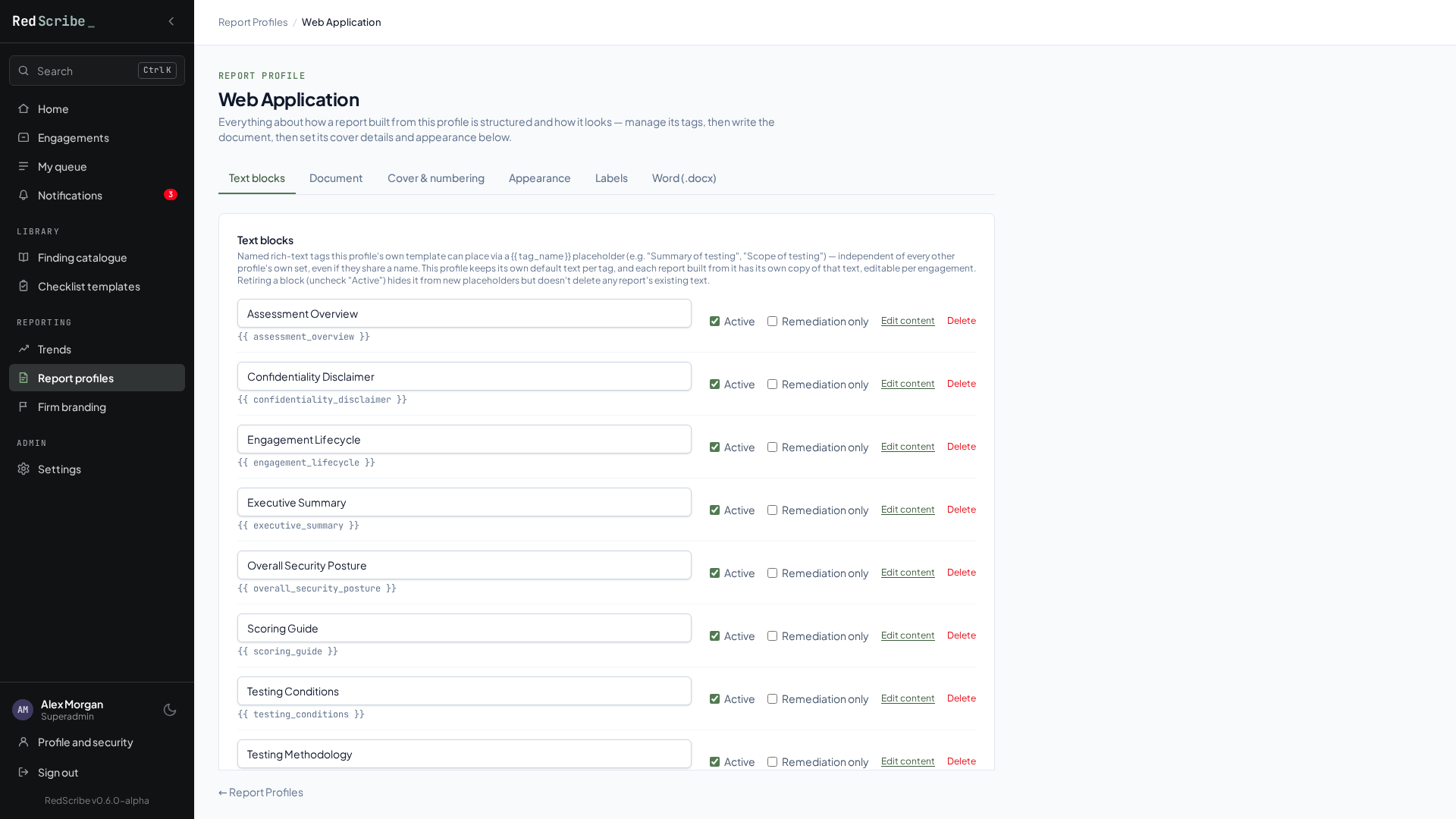
Eight profile-scoped text blocks supply the narrative prose the Document template above pulls in:
assessment_overview, confidentiality_disclaimer, engagement_lifecycle,
executive_summary, overall_security_posture, scoring_guide,
testing_conditions, testing_methodology.
Several of them (engagement_lifecycle, testing_conditions,
testing_methodology, scoring_guide) embed a table alongside their prose.
Text blocks are full rich text, not just paragraphs.
Reproduce this sample
Section titled “Reproduce this sample”Download the seed script, a standalone Python script that recreates the exact Report Profile, Finding Structure, engagement, assessment team, and all 10 findings behind this sample, so you can export a PDF yourself and compare.
-
Copy it onto your instance’s host (wherever you’d run
docker composecommands). -
Run it through a Django shell:
Terminal window docker compose exec -T web python manage.py shell < seed-sample-report.py(
-Tdisables the pseudo-TTY, needed for piped stdin under Compose.) -
Open the seeded “Umbrella Corporation” engagement’s Report tab, Configure, confirm the “Web Application” profile is selected, and export a PDF.