Trends & search
How severity trends, mean time to remediate, repeat findings, and global search work, including their edge cases and blind spots.
Trends and search both let you look across engagements instead of working inside just one. Both need to be turned on for your instance, and what you can see through either one is always limited to the engagements you already have access to.
Trends
Section titled “Trends”Trends reports across whichever engagements you can already see: a Superadmin sees every engagement on the instance, including archived ones, while everyone else sees the same set they’d see anywhere else in the app. Archived engagements never show up in trends for anyone other than a Superadmin, even if the underlying numbers already exist.
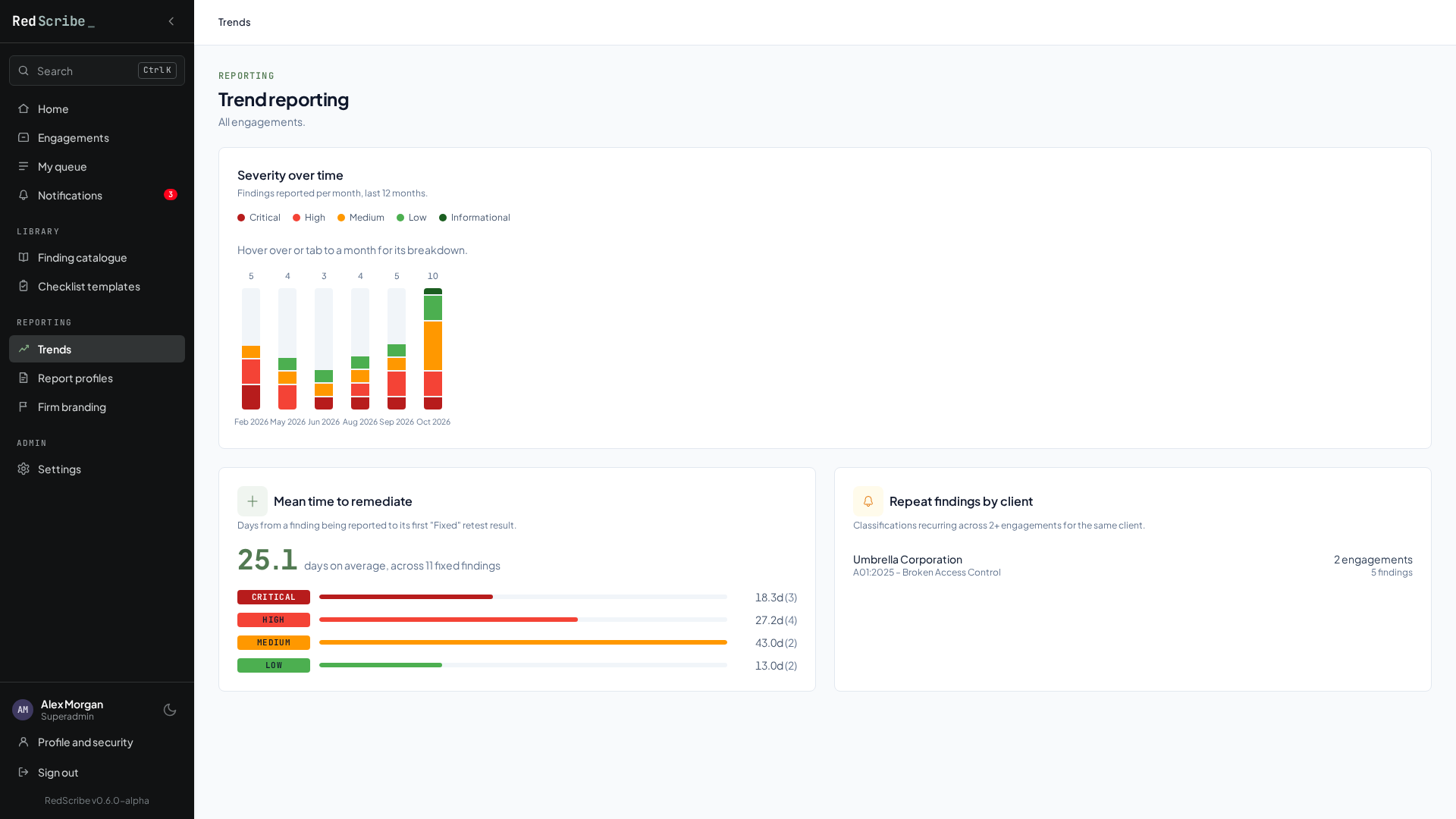
Severity over time
Section titled “Severity over time”This is a rolling monthly bar chart, looking back over a 12 month window. Findings are grouped by the calendar month they were created in, not by when the issue was actually discovered versus logged. A month with zero findings created in it isn’t shown as a flat zero bar, it’s simply absent from the chart. If your instance has no findings at all in scope, the chart renders empty rather than an all-zero grid.
Each bar’s height is scaled relative to the single busiest month currently in the window, not to a fixed scale. That means the chart’s shape can shift over time even when nothing new happens: as an old peak month rolls out of the 12 month window, every remaining bar can look taller than it used to, purely because the tallest bar it’s being compared against changed.
Mean time to remediate
Section titled “Mean time to remediate”This only counts findings that have at least one retest logged as Fixed. A finding that’s still open, or that was only ever retested as Not Fixed, Partially Fixed, or Risk Accepted, never contributes a data point here, no matter how old it is. If a finding was fixed, regressed, and fixed again, only the first Fixed retest counts. Its “days to fix” is the calendar day difference between when the finding was created and when it was first marked fixed, so a finding created and fixed on the same day counts as zero days.
The overall mean is a simple average across every qualifying finding in scope, not weighted by severity or engagement size. A severity level only shows up in the breakdown at all if at least one fixed finding of that severity exists. If nothing in scope has ever been marked Fixed, the whole panel reports a sample size of zero rather than showing a misleading zero days.
Repeat findings by client
Section titled “Repeat findings by client”This groups findings by client and classification tag, and only surfaces a pairing once it appears across at least two distinct engagements for that client. A finding tagged with multiple classifications, for example both an OWASP Top 10 entry and a CWE entry, counts toward repeat detection for each of those tags independently, so the same finding can contribute to more than one row here.
Results are sorted by how many distinct engagements a pairing spans first, then by total finding count, then alphabetically by client name. There’s no severity weighting: a client with the same low severity observation recurring across five engagements will outrank a client with a single critical finding that never repeated. That’s intentional, this view is for spotting systemic process gaps, not acute risk.
Search
Section titled “Search”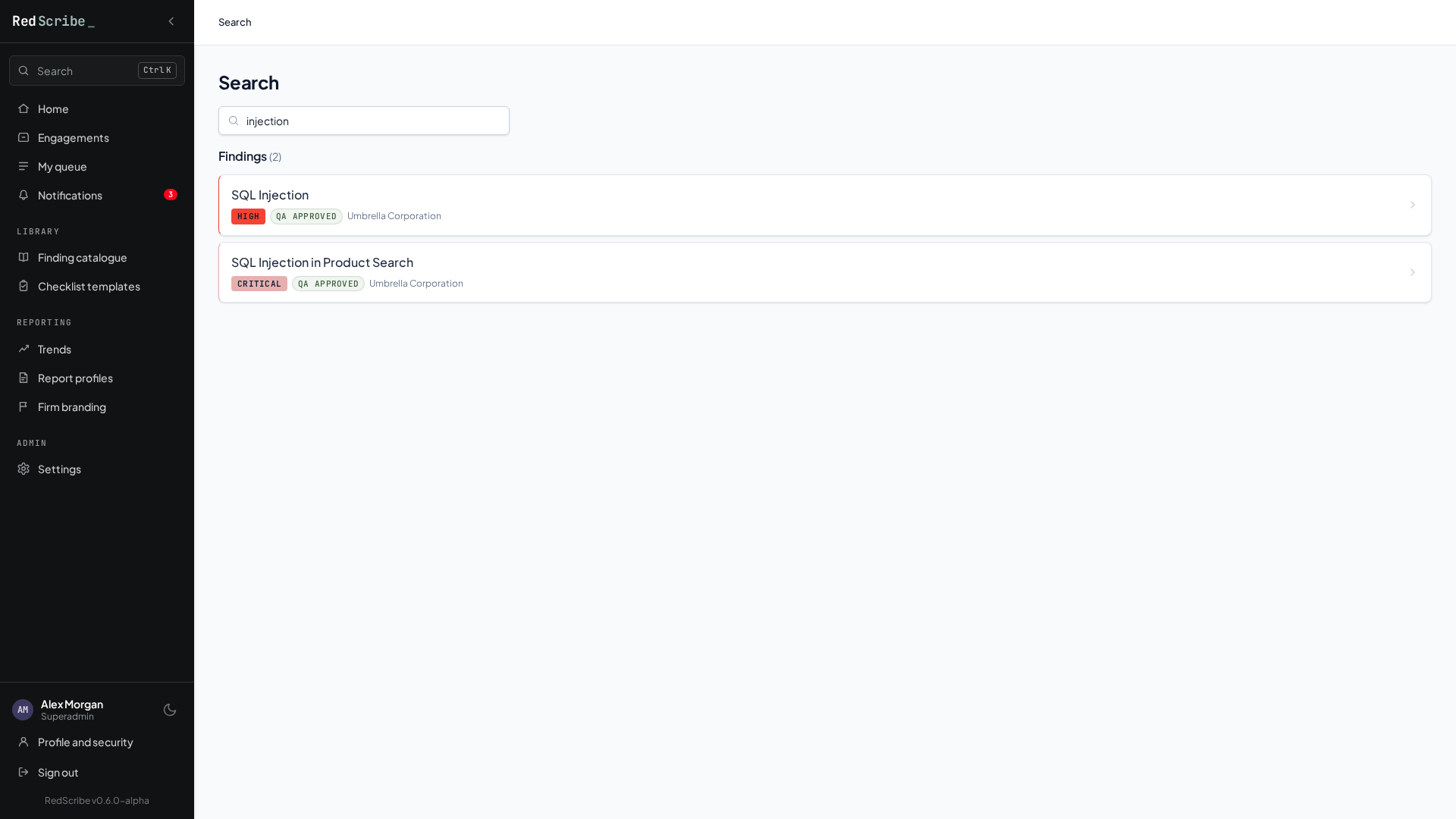
Type a query into Search and it checks exactly two things:
- Engagements, matched by client name or reference number.
- Findings, matched by title or CVE ID.
Results are capped at 25 per category, but the page still tells you the true total count and prompts you to narrow your search if more exist. Results aren’t ranked by relevance, they come back newest first, so a broad query returns your most recently created matches, not your best matches.
Search only ever shows you engagements and findings you could already browse to manually. One detail worth knowing: within an engagement you can see, archived findings still show up in search results (with an “Archived” badge), even though they’re left out of that engagement’s default findings list. Archived engagements themselves stay excluded from search entirely for anyone other than a Superadmin.